
In today’s digital world, converting images into editable text has become easier than ever. Pic to Text technology allows users to extract written content from photos, scanned documents, screenshots, and printed pages. Whether you are a student, business professional, or researcher, Pic to Text tools help save time and effort by transforming visual information into digital text.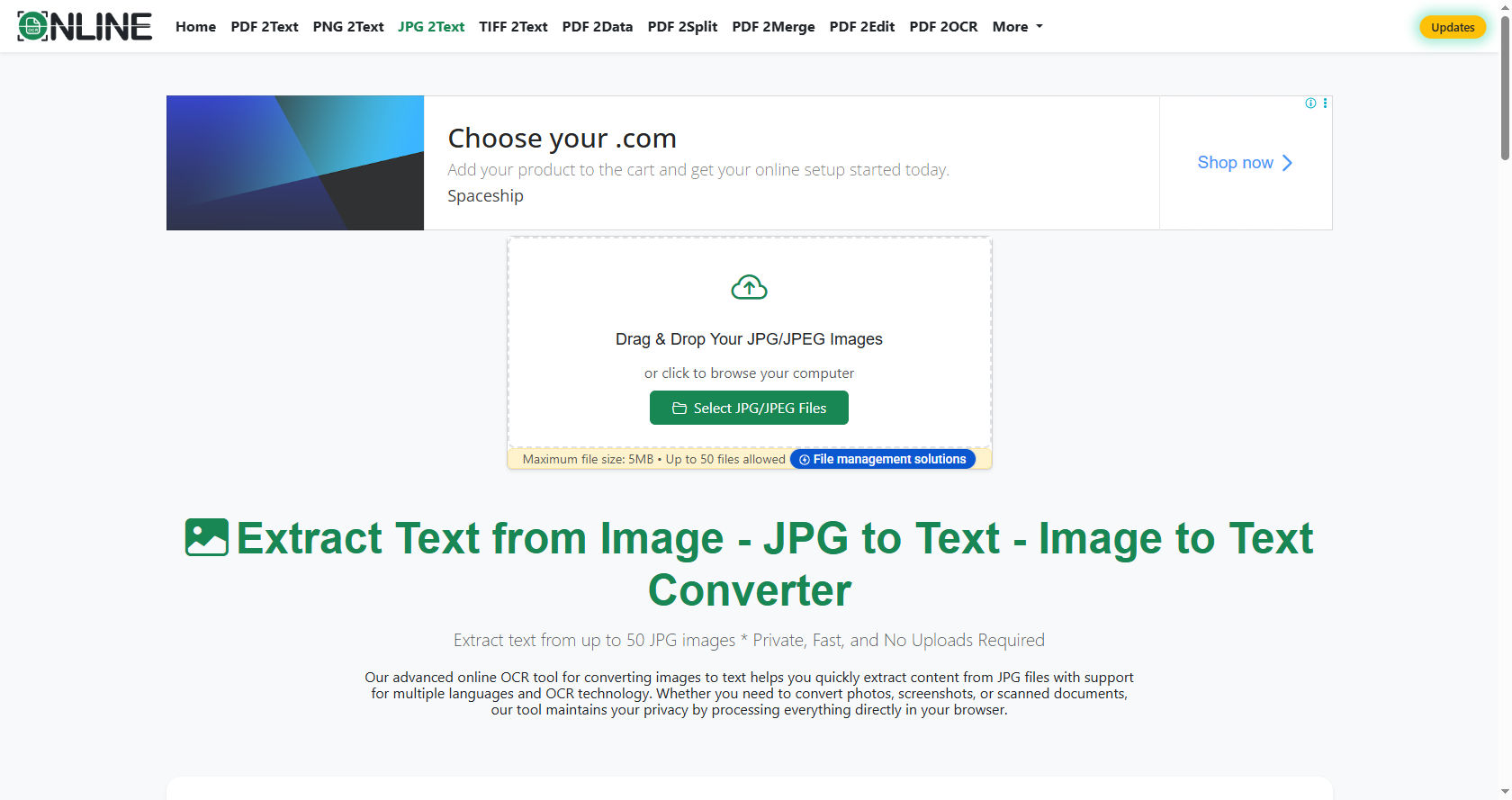
At its core, Pic to Text is powered by Optical Character Recognition, commonly known as OCR. This technology reads characters from an image and converts them into machine-readable text.
Instead of manually typing everything, users can rely on Pic to Text software to complete the task quickly and accurately.
This guide explains how Pic to Text works step by step. It explores the technology behind it, the process involved, its benefits, challenges, and future developments.
By the end, you will clearly understand how Pic to Text tools function and why they are so important today.
What Is Pic to Text?
Pic to Text is a technology that extracts written content from images and converts it into editable and searchable text. These images may include scanned books, handwritten notes, printed receipts, or photographs of documents.
The main purpose of Pic to Text is to reduce manual typing. Instead of retyping entire pages, users can upload an image to a Pic to Text converter and receive a digital version within seconds.
This process depends on advanced software that can recognize letters, numbers, and symbols inside an image. Once detected, the Pic to Text system translates these shapes into actual text characters.
The Core Technology Behind Pic to Text
Optical Character Recognition (OCR)
The main engine behind Pic to Text is Optical Character Recognition. OCR allows computers to identify and interpret text within images.
When you upload an image into a Pic to Text converter, OCR analyzes the picture. It scans for shapes that resemble letters and matches them to known character patterns stored in its database.
Modern Pic to Text systems use advanced OCR models that can recognize multiple fonts and languages. This improves accuracy and speed.
Artificial Intelligence and Machine Learning
Modern Pic to Text tools go beyond simple OCR. They use Artificial Intelligence and Machine Learning algorithms to improve recognition accuracy.
Machine Learning allows Pic to Text software to learn from previous mistakes. Over time, it becomes better at identifying complex fonts, unclear handwriting, and low-quality images.
AI-powered Pic to Text tools can even detect text orientation and automatically rotate images to ensure proper recognition.
Image Processing Technology
Before text recognition begins, Pic to Text systems perform image processing. This step enhances image quality.
The Pic to Text software adjusts brightness, contrast, and sharpness. It removes background noise and improves clarity. These adjustments make it easier for OCR to detect characters correctly.
Step-by-Step Process: How Pic to Text Works
Step 1: Image Upload
The first step in Pic to Text conversion is uploading an image. Users can upload photos, screenshots, or scanned documents into the Pic to Text tool.
The system accepts common formats like JPG, PNG, and PDF.
Step 2: Image Preprocessing
Once uploaded, the Pic to Text software begins preprocessing. This stage enhances image quality.
The Pic to Text tool removes shadows, corrects tilt, sharpens blurry text, and adjusts lighting. This ensures that characters are clear and ready for recognition.
Step 3: Text Detection
Next, the Pic to Text system identifies areas within the image that contain text.
It separates text from images, lines, and backgrounds. Advanced Pic to Text tools can detect paragraphs, tables, and columns automatically.
Step 4: Character Recognition
During this stage, the OCR engine inside the Pic to Text software analyzes individual characters.
Each letter or number is compared against stored patterns. The Pic to Text engine identifies shapes and converts them into digital text characters.
Step 5: Post-Processing
After recognition, the Pic to Text tool performs error correction.
AI algorithms check spelling and grammar. The Pic to Text system may correct common mistakes such as confusing “O” with “0” or “I” with “1”.
Step 6: Output Generation
Finally, the Pic to Text converter provides the editable text.
Users can copy, download, or edit the extracted text. The Pic to Text output can be saved as a Word file, text document, or PDF.
Types of Pic to Text Converters
Online Pic to Text Tools
Online Pic to Text tools run in web browsers. Users upload images and receive results instantly.
These Pic to Text platforms require no installation and are easy to use.
Mobile Applications
Many smartphones now include Pic to Text features in camera apps.
Mobile Pic to Text apps allow users to capture documents and convert them immediately.
Desktop Software
Professional desktop Pic to Text software offers advanced features.
These Pic to Text programs provide higher accuracy and support bulk conversions.
Key Features of Pic to Text Technology
Multi-Language Support
Modern Pic to Text systems recognize multiple languages.
This allows global users to rely on Pic to Text tools for diverse content.
Handwriting Recognition
Advanced Pic to Text software can detect handwritten text.
Although handwriting recognition is more complex, AI-powered Pic to Text tools improve accuracy over time.
Batch Processing
Some Pic to Text converters allow batch uploads.
Users can convert multiple images at once using Pic to Text, saving time.
Cloud Integration
Cloud-based Pic to Text systems allow storage and sharing.
Users can store extracted text directly in cloud platforms.
Benefits of Using Pic to Text
Saves Time
The biggest advantage of Pic to Text is time-saving.
Instead of typing pages manually, Pic to Text completes the task in seconds.
Improves Productivity
Students and professionals increase productivity with Pic to Text tools.
Research notes, invoices, and documents can be digitized quickly using Pic to Text.
Reduces Errors
Manual typing often causes mistakes.
Using Pic to Text reduces typing errors and improves accuracy.
Enhances Accessibility
Pic to Text makes printed materials accessible.
Visually impaired users can use Pic to Text output with screen readers.
Challenges in Pic to Text Technology
Poor Image Quality
Blurry or low-resolution images affect Pic to Text accuracy.
If the image quality is low, Pic to Text tools may misread characters.
Complex Fonts
Decorative or unusual fonts create challenges for Pic to Text systems.
Advanced AI helps improve Pic to Text recognition of such fonts.
Handwriting Variations
Different handwriting styles impact Pic to Text performance.
While modern Pic to Text tools improve constantly, handwriting remains a challenge.
Background Noise
Busy backgrounds reduce Pic to Text accuracy.
Image preprocessing in Pic to Text tools helps reduce this issue.
Real-World Applications of Pic to Text
Education
Students use Pic to Text to digitize notes and textbooks.
Teachers rely on Pic to Text to convert worksheets into editable formats.
Business
Businesses use Pic to Text for invoice processing and data entry.
Companies integrate Pic to Text systems into document management software.
Healthcare
Hospitals use Pic to Text to digitize patient records.
Medical forms can be processed efficiently with Pic to Text tools.
Legal Industry
Law firms use Pic to Text to convert printed contracts into digital files.
This helps lawyers search documents quickly using Pic to Text technology.
Security and Privacy in Pic to Text
Security is important when using Pic to Text tools.
Reliable Pic to Text platforms use encryption to protect uploaded files.
Users should always choose secure Pic to Text services, especially when handling sensitive data.
Future of Pic to Text Technology
The future of Pic to Text looks promising.
AI advancements will make Pic to Text tools more accurate.
Real-time Pic to Text translation features are becoming common.
Soon, Pic to Text may integrate seamlessly with augmented reality devices.
As technology improves, Pic to Text will become even faster and more reliable.
Tips for Getting Better Results with Pic to Text
Use high-quality images for better Pic to Text accuracy.
Ensure proper lighting before uploading to a Pic to Text converter.
Avoid tilted images when using Pic to Text tools.
Choose AI-powered Pic to Text software for improved results.
Review and edit the text after using Pic to Text to ensure accuracy.
Conclusion
Pic to Text technology has transformed the way we handle written information. From students digitizing notes to businesses automating document processing, Pic to Text tools play a vital role in modern life.
By combining OCR, AI, and image processing, Pic to Text systems can accurately convert images into editable text. The process involves image upload, preprocessing, character recognition, error correction, and output generation.
Although challenges such as poor image quality and handwriting variations exist, continuous advancements improve Pic to Text performance. AI-driven models make Pic to Text smarter and more efficient every year.
The benefits of Pic to Text include time-saving, improved productivity, enhanced accessibility, and reduced manual effort. Its applications span education, business, healthcare, and legal industries.
As digital transformation continues, Pic to Text technology will become even more integrated into everyday tools and devices. It will support faster workflows, smarter automation, and better accessibility worldwide.
Understanding how Pic to Text works helps users make better use of this powerful tool. By choosing reliable software and following best practices, anyone can maximize the benefits of Pic to Text conversion.
In conclusion, Pic to Text is more than just a convenience tool. It is a technological advancement that bridges the gap between printed and digital information. As innovation continues, Pic to Text will remain an essential part of our digital future.